Information Rights Management (IRM) can be used for restricting permission to content in documents, workbooks, and presentations with Office. IRM lets people set access permissions to help prevent sensitive information from being printed, forwarded, or copied by unauthorized people.
Read more about Information Rights Management in Office 365
IRM can be used in SharePoint Online and OneDrive For Business contents. SharePoint Administrator or Global Administrator has to enable IRM at tenant level, so that Office 365 tenant users can use this service on their contents.
How to Enable IRM in OneDrive For Business?
Make sure IRM enabled at tenant level. If not enabled then follow this article
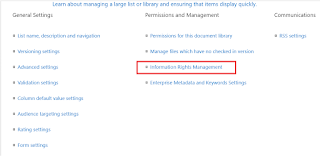
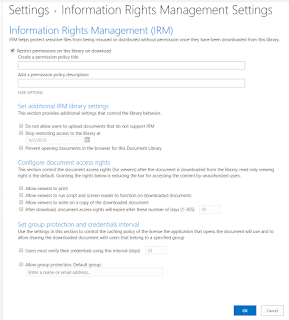
Enjoy protecting your information in Office 365.
Read more about Information Rights Management in Office 365
IRM can be used in SharePoint Online and OneDrive For Business contents. SharePoint Administrator or Global Administrator has to enable IRM at tenant level, so that Office 365 tenant users can use this service on their contents.
How to Enable IRM in OneDrive For Business?
Make sure IRM enabled at tenant level. If not enabled then follow this article
- Login to Office 365 Portal
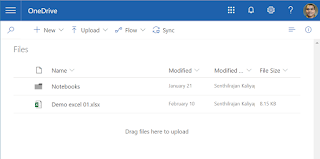
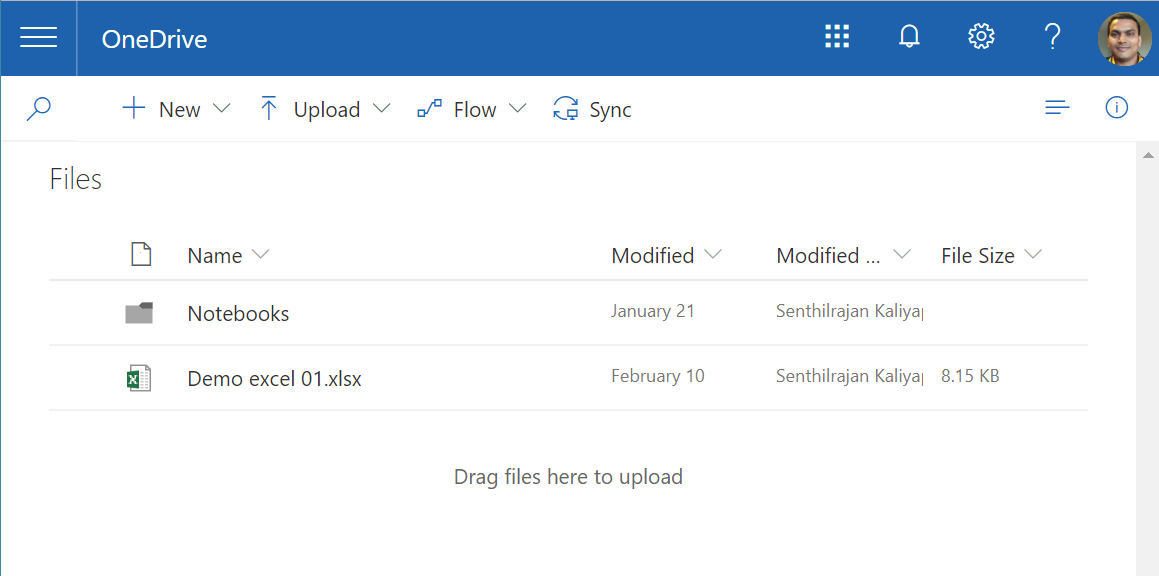
- Open OneDrive For Business
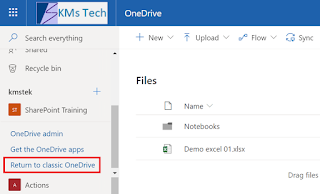
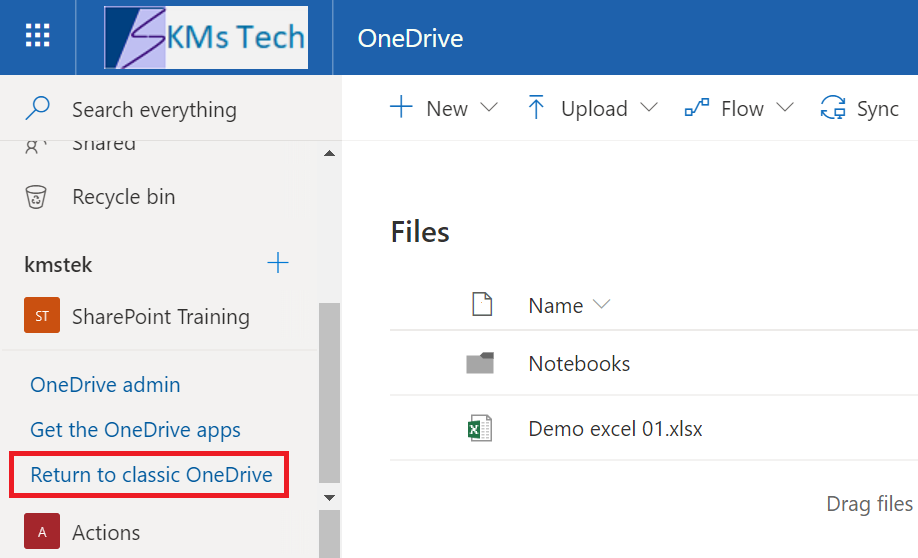
- Change the modern mode to classical mode
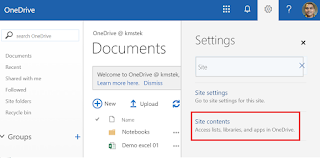
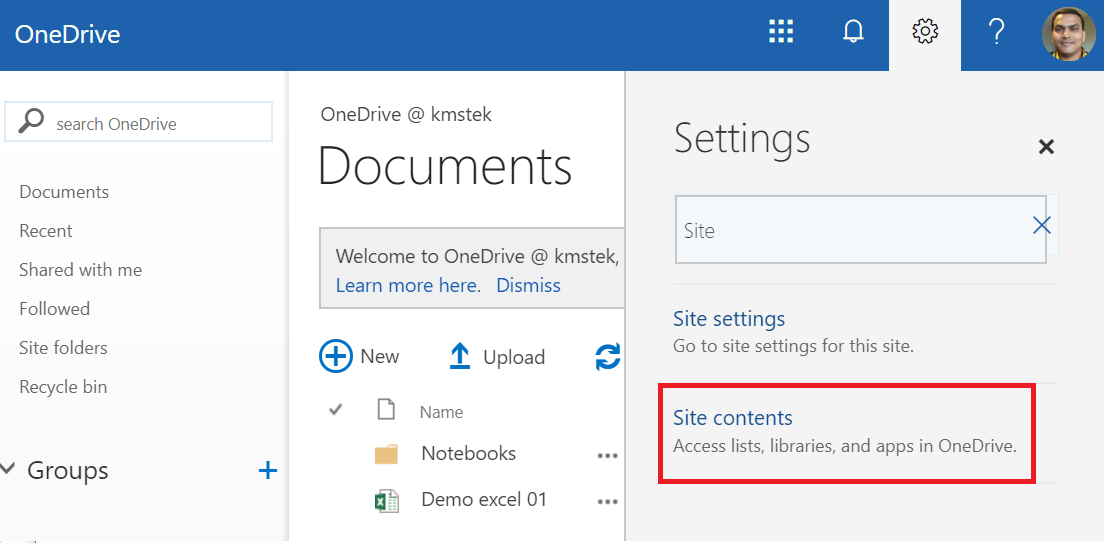
- Click on Settings
- Search "Site Contents"
- Click on Site Contents
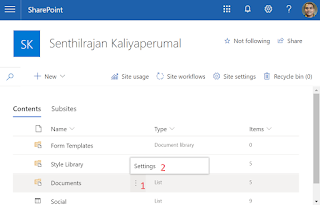
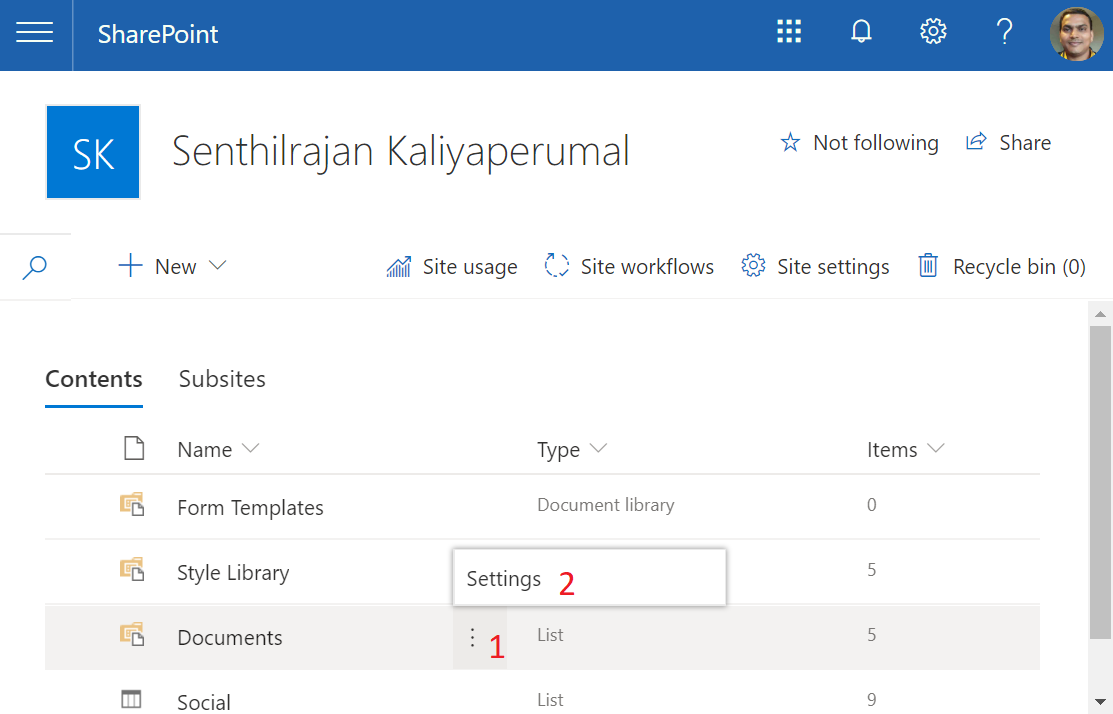
- Hover over mouse on Document and click on ellipses icon (⋮) and click on Settings
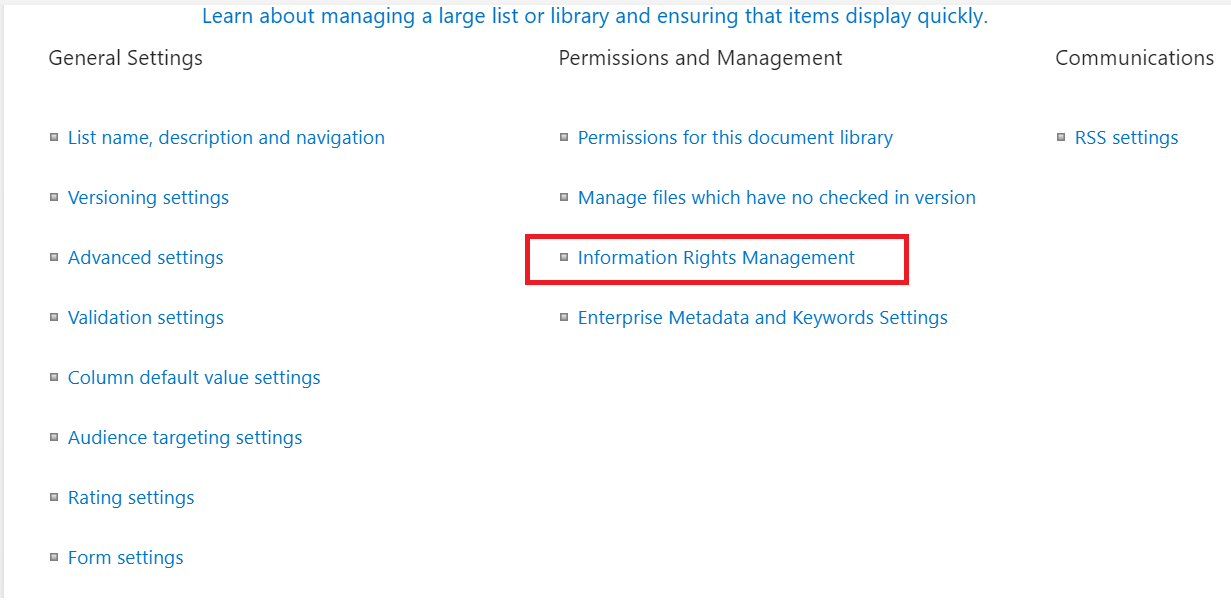
- Click on "Information Rights Management" link under "Permission management" Section
- Enable & configure IRM feature for OneDrive For Business
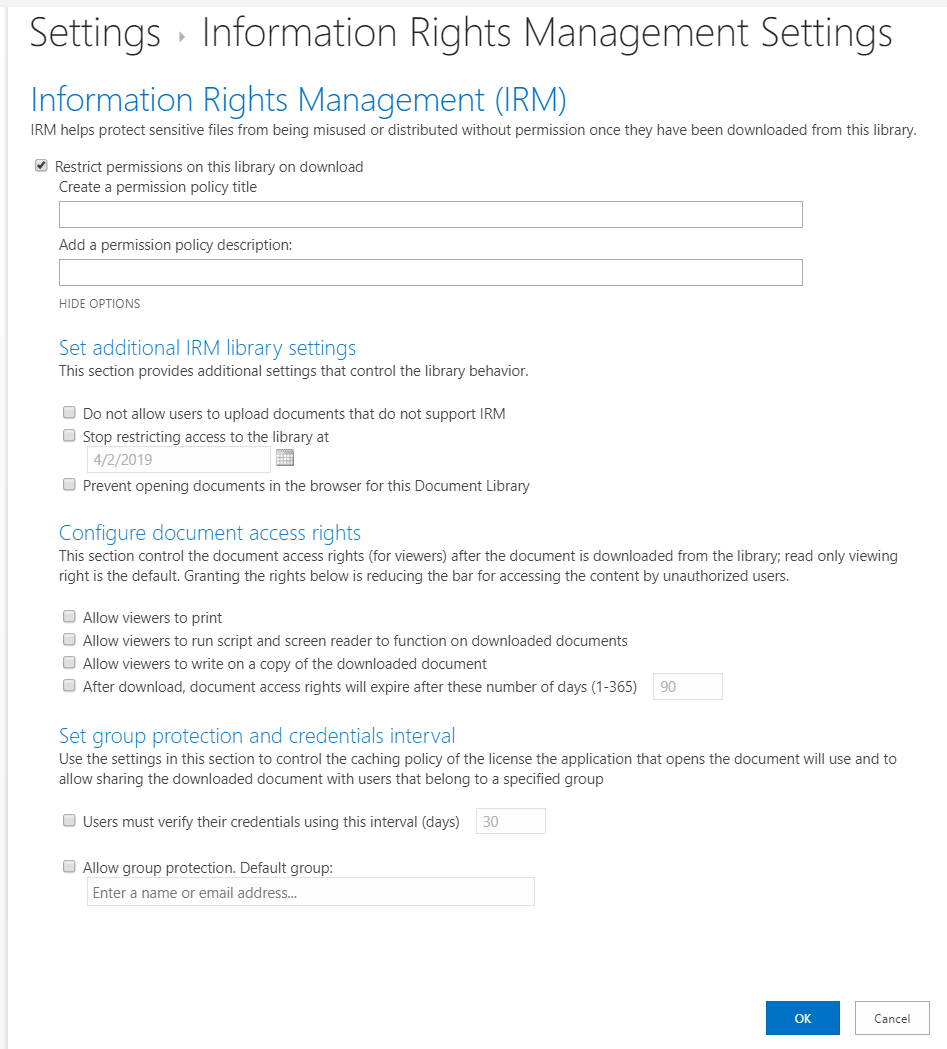
- Click on OK button to save the settings
Enjoy protecting your information in Office 365.
